
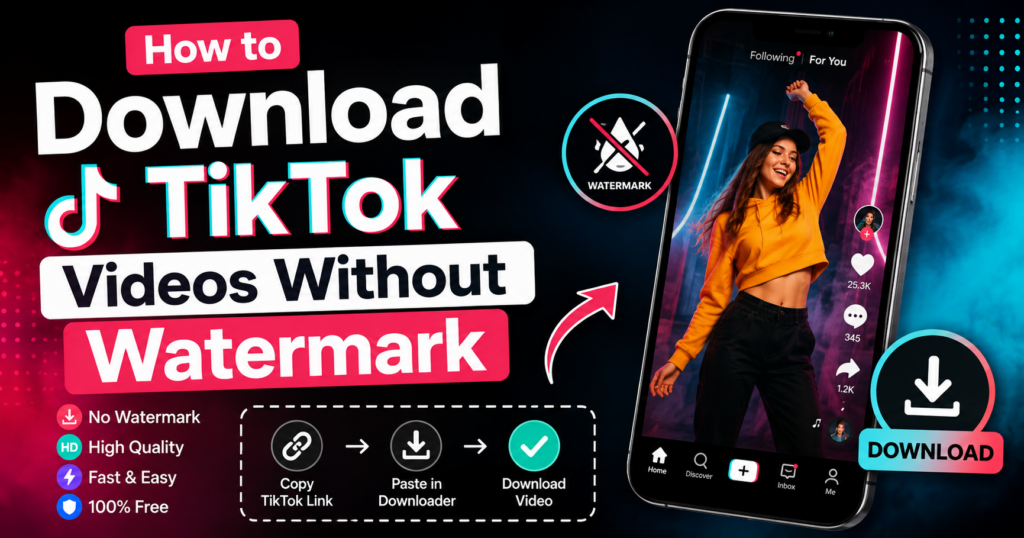
How to Download TikTok Videos Without Watermark
TikTok has become one of the most influential platforms on the internet, with billions of people scrolling through short videos every single day. Dance trends, cooking hacks, comedy skits, tutorials, and viral moments all live on this app, and it is easy to see why so many people get hooked on it.
Because TikTok content moves so fast, many users want a way to keep videos they care about. Maybe it is a recipe they want to try later, a workout routine they follow, or a tutorial they want to rewatch without burning through mobile data. Saving videos for offline access is one of the most common reasons people search for a TikTok downloader in the first place.
In this guide, we will walk through how TikTok video downloads actually work, why watermarks exist, the legitimate situations where downloading makes sense, and how tools like a TikTok Video Downloader fit into that picture. We will also cover device-specific instructions, common problems, and a detailed FAQ section so you leave this page with a clear understanding of the entire process.
Understanding TikTok Watermarks
If you have ever saved a TikTok video directly from the app, you probably noticed a small floating logo and the creator’s username moving across the screen. That is the TikTok watermark, and it appears automatically on every video exported through the app’s native share or save function.
TikTok adds this watermark for a simple reason: attribution. When a video gets shared outside the app, whether on Instagram, WhatsApp, or a group chat, the watermark tells viewers exactly who made it and where it came from. This protects the creator’s identity and helps drive traffic back to their TikTok profile.
From a viewing experience standpoint, the watermark can sometimes get in the way. It moves around the screen, occasionally covers text or important visual details, and can feel distracting during certain types of content like tutorials, infographics, or text-heavy videos. This is part of why so many people start looking for ways to view content without the on-screen logo.
It is worth being clear about something important here: the watermark exists to credit the original creator. Removing it does not remove their ownership of the content. Whatever method you use to save a video, the footage still belongs to the person who made it, and how you use that saved file afterward matters just as much as how you obtained it.
A Short History of TikTok Downloads
TikTok downloading did not start the way it works today. In the platform’s early years, when it was still known internationally for its short, looping video format, there was no built-in “Save Video” option at all. Anyone who wanted to keep a clip had to use basic screen recording, which produced lower quality results and often picked up background noise from notifications or interface sounds.
As the app grew, TikTok introduced an official save feature, but it came with the watermark baked in by default. This was a deliberate branding decision, similar to how other platforms label shared content. Around the same time, independent developers began building simple web tools that could fetch a public video directly from its link, which is the foundation that most modern downloaders, including browser-based ones, still rely on today.
Over the years, these tools became more refined. Early versions were often slow, cluttered with ads, or unreliable on mobile browsers. The current generation of downloader websites has moved toward simpler, faster, and more mobile-friendly designs, largely because user expectations shifted toward instant, no-installation solutions rather than clunky desktop software.
Reasons People Want Watermark-Free Videos
There are several legitimate, everyday reasons people look for cleaner versions of TikTok videos:
- Offline viewing: Saving a video to watch later without using mobile data, especially useful for travel or areas with weak signal.
- Educational purposes: Teachers, students, and researchers sometimes save instructional content to study or reference later, often with permission from the creator.
- Content research: Marketers and creators studying trends, formats, or editing styles for their own original work.
- Personal collections: Keeping a private archive of videos you made yourself or videos a friend or family member shared with you directly.
- Better visual experience: A clean video without a floating logo can be easier to watch on a larger screen, like a TV or projector, for personal viewing.
Notice that almost all of these reasons point toward personal, non-commercial use. That distinction matters a lot, and we will come back to it later in this guide.
How TikTok Video Downloads Work
To understand downloading, it helps to know a bit about how TikTok structures its content:
Public content: Most TikTok videos are set to public by the creator, meaning anyone with the link can view them, even without an account. This is what makes downloading technically possible in the first place.
Video links: Every TikTok video has a unique URL. This link is what most downloader tools use to locate and process the video file.
Download availability: Whether a video can be downloaded depends on the creator’s settings. Some creators disable the native “Save Video” option inside the app, which limits how the content can be shared outside TikTok.
User permissions: Private accounts and private videos are not accessible to downloader tools at all. If a video is not publicly viewable in a browser, no legitimate tool will be able to process it, and that is intentional.
Once you understand these basics, the actual process of using a TikTok Video Downloader becomes much clearer, since the tool is really just reading the public video data behind that link and converting it into a file you can save.
Step-by-Step Guide to Download TikTok Videos
Here is the general process most people follow when saving a public TikTok video:
- Open TikTok and find the video you want to save.
- Tap the Share button (the arrow icon) and select “Copy Link.”
- Open your downloader tool of choice in a browser.
- Paste the link into the input field provided.
- Choose your preferred format or quality if the tool offers options.
- Tap download or save and the file will be processed.
- Save the file to your device’s gallery, downloads folder, or files app.
On mobile devices, the file usually saves directly to your Photos or Gallery app, while on desktop computers it typically lands in your default Downloads folder unless you choose a different location.
TikTok Video Quality Guide
Video quality on TikTok depends on several layered factors, and understanding them helps explain why two downloads of the same video can sometimes look different.
Original upload quality: The resolution a creator originally filmed and uploaded in sets the ceiling for everything downstream. A video filmed in low light or on an older phone camera will not magically become sharper through downloading.
TikTok’s compression: Like most social platforms, TikTok compresses videos to save bandwidth and storage. This keeps the app fast for billions of users but can slightly reduce fine detail compared to the original file.
Downloader processing: A good downloader tool pulls the video as close to its source quality as TikTok allows, without adding extra compression on top. This is why some tools produce noticeably better results than others even when downloading the exact same clip.
Network conditions during download: A weak or unstable connection can sometimes cause partial loading or visual artifacts, which is unrelated to the video’s actual stored quality but can affect what you see during playback immediately after downloading.
If a tool offers a quality selector, choosing the highest option available will typically give you the closest match to what was originally uploaded, which matters most if you plan to view the video on a larger screen like a tablet or TV.
Why Users Choose Vidsnap.cloud
There are a lot of downloader websites out there, and it can be hard to know which ones are actually worth using. Vidsnap.cloud was built around a few simple priorities:
- Simple interface: No clutter, no confusing menus, just a link field and a download button.
- Fast processing: Videos are processed quickly so you are not left staring at a loading screen.
- Mobile-friendly design: The site works smoothly on phones and tablets, not just desktop browsers.
- Browser-based access: No app installation required, which means no extra storage taken up and no app permissions to worry about.
- No registration required: You do not need to create an account or hand over personal information just to use the tool.
These are practical conveniences, not magic tricks. Vidsnap.cloud works within the same public-content rules described above, which means it is best used for videos you have the right to save, such as your own posts or content shared with permission.
Downloading on Different Devices
The good news is that once you know how to use one Vidsnap.cloud tool, you basically know how to use all of them. The same logic that applies to TikTok also applies to the Instagram Video Downloader and the Facebook Video Downloader, since every device walkthrough below follows the same copy-paste-download pattern.
Android
On Android, open your preferred browser (Chrome works well), paste the copied TikTok link into the downloader, and tap download. The video typically saves to your “Downloads” folder or directly to your Gallery, depending on your phone’s settings.
iPhone
iPhone users should open Safari or Chrome, paste the link, and download the video. Because iOS handles downloads a bit differently, the file usually needs to be saved to the Files app first, after which you can move it into your Photos app if you want it alongside your camera roll.
Windows PC
On a Windows computer, paste the TikTok link into your browser-based downloader and click download. The file will land in your default Downloads folder, and from there you can move it anywhere you like, including an external drive if you are archiving a lot of content.
Mac
Mac users follow a nearly identical process. Safari or Chrome both work fine, and downloaded files appear in the Downloads folder in Finder by default.
Tablets
Both Android and iPad tablets follow the same logic as their phone counterparts. The bigger screen actually makes it easier to manage downloaded files since you can view your Files app and browser side by side.
Common Problems and Solutions
| Problem | Likely Cause | Solution |
|---|---|---|
| Invalid link error | The TikTok URL was copied incorrectly or incompletely | Re-copy the link directly from the Share button and paste it again |
| Video will not download | The account or video is set to private | Private content cannot be downloaded; ask the creator to share it directly |
| Page will not load | Browser cache issues or a slow connection | Clear your browser cache or switch to a different browser |
| Download is very slow | Weak internet connection or large file size | Switch to Wi-Fi or wait until you have a stronger signal |
| File will not open | Compatibility issue with your device’s media player | Try a different media player app or update your current one |
Advanced Troubleshooting
If the basic fixes above do not solve your issue, a few deeper troubleshooting steps usually clear up the remaining edge cases.
Clear cookies and site data, not just cache: Sometimes clearing the cache alone is not enough. Going into your browser settings and clearing cookies and site data specifically for the downloader site can resolve persistent loading errors.
Try a different browser entirely: If a downloader works fine on Chrome but fails on Safari, or vice versa, the issue is often related to browser-specific settings like content blockers or strict privacy modes rather than the tool itself.
Disable browser extensions temporarily: Ad blockers and privacy extensions occasionally interfere with how a page loads or processes a download request. Disabling them temporarily, just for that one site, often fixes blank pages or stuck loading screens.
Check if TikTok itself is experiencing issues: Occasionally, TikTok’s own servers have temporary outages or regional slowdowns, which can affect every downloader tool at once, not just one specific site. If multiple tools fail at the same time, the issue is likely on TikTok’s end rather than the downloader’s.
Restart your device: It sounds simple, but a basic restart clears temporary memory issues that can quietly interfere with downloads, especially on older phones with limited RAM.
Re-copy the link from scratch: If you copied a link, switched apps, and came back later, the clipboard may have changed. Always re-copy the link immediately before pasting it into the downloader for the most reliable results.
Tips for Better Download Quality
HD video tips: If the tool offers a quality selector, choose the highest available resolution for the clearest result, especially if you plan to view the video on a larger screen.
Internet connection tips: A stable Wi-Fi connection will almost always produce faster, more reliable downloads than mobile data, particularly for longer videos.
Device storage management: Videos, especially in HD, can add up quickly. Periodically check your storage and clear out files you no longer need.
File organization: Create dedicated folders for different categories of saved videos, such as recipes, tutorials, or personal memories, so you can find them easily later.
Related Download Tools
If you regularly save content from multiple platforms, it helps to have the right tool for each one. Alongside the TikTok Video Downloader, Vidsnap.cloud also offers an Instagram Video Downloader for saving Reels and posts you have permission to keep, and a Facebook Video Downloader for public Facebook videos. Each tool follows the same basic principle: public content, simple process, no unnecessary steps.
Online Downloaders vs Mobile Apps
| Feature | Online Downloaders | Mobile Apps |
|---|---|---|
| Installation required | No | Yes |
| Storage space used | None on your device | Takes up app storage |
| Device permissions needed | Minimal, browser-based | Often requires multiple permissions |
| Cross-device compatibility | Works on any device with a browser | Limited to supported operating systems |
| Update requirements | Automatically up to date | Requires manual app updates |
| Risk of unwanted ads or bundled software | Varies by site | Higher risk with unverified app sources |
| Ease of use | Very simple, paste and download | Requires setup, permissions, and navigation through app menus |
| Mobile support | Works on any mobile browser | Requires a dedicated app for each operating system |
| Browser support | Compatible with Chrome, Safari, Firefox, and Edge | Not applicable; apps run independently of the browser |
| Registration required | Usually none | Often requires sign-up or account creation |
| Download speed | Fast for short clips, depends on connection | Can be faster for bulk downloads but slower to set up initially |
Generally speaking, browser-based tools tend to be more convenient for occasional use, while apps may suit people who download content very frequently and do not mind dedicating storage space to a dedicated tool.
Benefits of Browser-Based Downloaders
Browser-based tools have become the preferred choice for most casual users, and a few specific advantages explain why.
Zero storage commitment: Since nothing installs on your device, you are not sacrificing storage space just to access the tool. This matters especially on phones with limited capacity.
Instant access across devices: A browser-based TikTok Video Downloader works the same whether you are on your phone, a work laptop, or a tablet, without needing to install anything separately on each device.
No outdated versions: Apps require manual updates, and an outdated version can stop working entirely. A website is always running its current version, so you never have to think about updating it yourself.
Lower security footprint: Installed apps often request broad permissions, like access to your contacts or photo library. A browser tool typically only needs the clipboard link you paste in, which is a much smaller footprint from a privacy standpoint.
Easier to switch between platforms: If you save content from TikTok one day and an Instagram Reel the next, having the Instagram Video Downloader and Facebook Video Downloader as browser tabs, rather than separate installed apps, keeps everything in one familiar place.
Privacy and Security Considerations
Safe browsing practices: Stick to well-known downloader sites, avoid clicking on unrelated pop-ups, and keep your browser updated to reduce security risks.
User privacy: A trustworthy downloader should not ask for your TikTok login credentials. You only ever need the public video link, never your account password.
Responsible downloading: Only download content you genuinely have the right to save, and be cautious of any tool that asks for excessive permissions or personal information beyond what is necessary.
Safety Tips for Using Downloader Tools
Beyond the basics of avoiding suspicious sites, a few extra habits can keep your downloading routine safer overall.
Check the URL carefully: Scammers sometimes create lookalike domains designed to mimic popular downloader sites. Double-check the spelling of the URL before entering anything.
Avoid downloading through links shared in random comments or messages: Stick to typing the downloader’s address directly into your browser rather than clicking unfamiliar links claiming to be a “faster” or “premium” version of the tool.
Keep your browser and device updated: Security patches in browser updates often close small vulnerabilities that malicious sites try to exploit. An updated browser is one of the simplest defenses you have.
Be skeptical of tools that demand an app download mid-process: A legitimate browser-based downloader should not suddenly ask you to install an APK file or unknown application just to finish saving a video.
Use a reputable antivirus or built-in browser protection: Most modern browsers include basic phishing and malware warnings. Pay attention to these alerts rather than dismissing them automatically.
Best Practices for Saving Videos
Ethical use: Save videos for personal, offline viewing rather than reposting them elsewhere as if they were your own work.
Respect creator rights: If you want to share or repost someone else’s content, ask for permission first and credit them clearly, even if you save a version without the on-screen watermark.
Organizing downloaded content: Keep a simple folder system so your saved videos do not pile up into an unmanageable mess, and periodically review what you actually still need.
Mistakes to Avoid
- Downloading private videos through unofficial workarounds, which violates the creator’s chosen privacy settings.
- Reposting someone else’s saved content without credit or permission.
- Using downloader tools that ask for your TikTok username and password.
- Ignoring browser warnings about suspicious pop-ups or redirects.
- Ignoring storage limits and ending up with a device full of duplicate files.
- Assuming every downloader tool works the same way; quality and reliability can vary.
- Forgetting to check video quality settings before downloading, leading to unnecessarily large or low-quality files.
Expert Recommendations
If you save content regularly, build a simple habit around it. Always copy the link directly from TikTok’s share menu rather than typing it manually, since this avoids most “invalid link” errors. Choose Wi-Fi over mobile data when downloading multiple videos to save on data usage and speed up the process.
If you are saving content for any purpose beyond personal viewing, such as research, teaching, or content analysis, keep a simple note of where each video came from and who created it. This makes it much easier to credit the original creator later and keeps your usage on solid ethical ground.
Finally, treat any downloader tool the way you would treat any other website you give data to. If something feels off, like excessive permission requests or aggressive pop-ups, it is fine to close the tab and look for an alternative.
Frequently Asked Questions
Is it legal to download TikTok videos?
Downloading public videos for personal, offline viewing is generally considered low-risk in most regions, but the video content itself remains the intellectual property of its creator. Reposting or commercially using someone else’s content without permission can raise copyright issues regardless of how it was downloaded.
Can I save videos on iPhone?
Yes, you can use a browser-based downloader in Safari or Chrome, then save the file through the Files app and move it to Photos if needed.
Why do some videos fail to download?
The most common reasons are an incorrectly copied link, a private account setting, or the creator having disabled downloads for that specific video.
Do I need software?
No. Browser-based tools like Vidsnap.cloud do not require any software installation.
Can I download videos on Android?
Yes, the process works the same way as on other devices: copy the link, paste it into the tool, and download.
How do I save videos for offline viewing?
Once downloaded, the video file is stored locally on your device, so it will play without an internet connection just like any other saved video.
What is a TikTok watermark?
It is the small floating logo and username that TikTok automatically adds to videos shared or saved through the app, used for attribution purposes.
Are online downloaders safe?
Reputable ones that do not request your TikTok login credentials and do not bombard you with intrusive ads are generally safe to use for public content.
What video quality is available?
This depends on the original upload quality and the specific tool, but many downloaders offer the highest quality available from the source video.
Does Vidsnap.cloud require registration?
No, you can use the tool directly in your browser without creating an account.
Can I download private TikTok videos?
No. Private videos are not accessible to downloader tools, which respects the privacy settings the creator chose.
Will the downloaded video include the creator’s username?
This depends on the source and method, but it is good practice to credit the original creator manually whenever you share saved content, even if the username is not visible in the file itself.
Can I download videos in bulk?
Some tools support saving multiple videos, but this is usually limited and works best for personal archives rather than large-scale collection.
Is there a file size limit?
Most TikTok videos are short enough that file size is rarely an issue, but very long videos may take more time to process.
Can I download videos to use in my own content?
Only if you have permission from the original creator, or if the content falls under fair use in your specific situation, which varies by country and context. When in doubt, ask first.
What should I do if a downloader site looks suspicious?
Close the tab immediately, especially if it asks for login details, payment information, or app downloads from outside official app stores.
Conclusion
Saving TikTok videos for personal, offline use is a simple process once you understand how it works: copy the public video link, paste it into a reliable tool, and download the file to your device. Whether you are on Android, iPhone, Windows, or Mac, the steps stay largely the same.
Tools like Vidsnap.cloud make this process straightforward with a clean interface, no registration requirements, and browser-based access on any device. Just remember that the creator’s work remains their own, watermark or not, so saving a video responsibly means using it for personal viewing or seeking permission before sharing it further.
If you regularly save content across platforms, it is worth exploring the related TikTok Video Downloader, Instagram Video Downloader, and Facebook Video Downloader tools to keep your favorite content organized and accessible, all in one place.
About the Author
The Vidsnap.cloud editorial team specializes in creating educational content about online video tools, digital media, and social platform resources. The team focuses on clear, practical guides that help everyday users understand how video platforms work, how to use download tools responsibly, and how to stay safe while doing so.